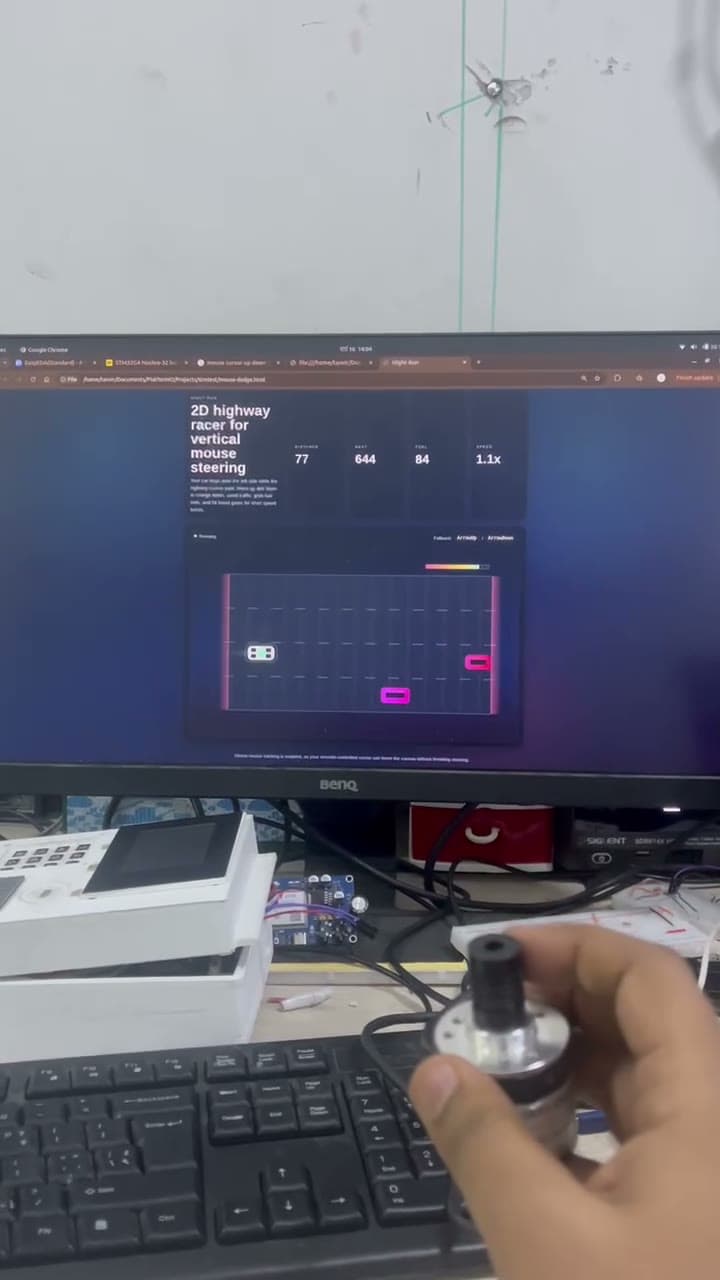
Linear Encoder 2D Game Controller: Turning Physical Motion into Gameplay
Turning a linear encoder into a physical game controller — and what it taught me about input design and human-machine interfaces.
The idea
Keyboards and joysticks are fine, but I wanted to use something more physical. A linear encoder felt like the right kind of weird: the player slides a real mechanism, the microcontroller reads it, the game responds.
That is the whole project in one sentence. The rest is just tuning.
From hardware to game
The controller reads the encoder through a microcontroller. Depending on the encoder type, that means counting pulses, tracking direction, or estimating position. Whatever the reading is, it gets mapped into game movement.
Sensitivity is the entire game. Too slow and the player feels disconnected. Too fast and the controller is hard to aim. Calibration is the heart of it.
Why this matters beyond games
The same idea — physical movement → digital command — shows up in training simulators, accessibility devices, industrial control panels and museum exhibits. A simple linear encoder can be the start of something useful, not just a toy.
Locally, a lot of students reach straight for off-the-shelf modules. Building a custom input device is a really good way to actually learn about noise, repeatability, response time and how a control feels in your hand.
Firmware thinking
The firmware has to read the encoder cleanly, filter out jitter, scale the signal and send the right amount of input to the game. Miss a step and the game stutters. Send too many events and the game becomes uncontrollable.
I started with the simplest possible mapping (encoder motion → character motion) and only added features once that loop felt good. Sensitivity adjustment, USB HID mode and game profiles can come later.
The lesson I keep coming back to
Input design is product design. It is not enough for a sensor to electrically work — it has to feel right in someone's hands. This project gave me a very practical way to feel that lesson instead of just reading about it.