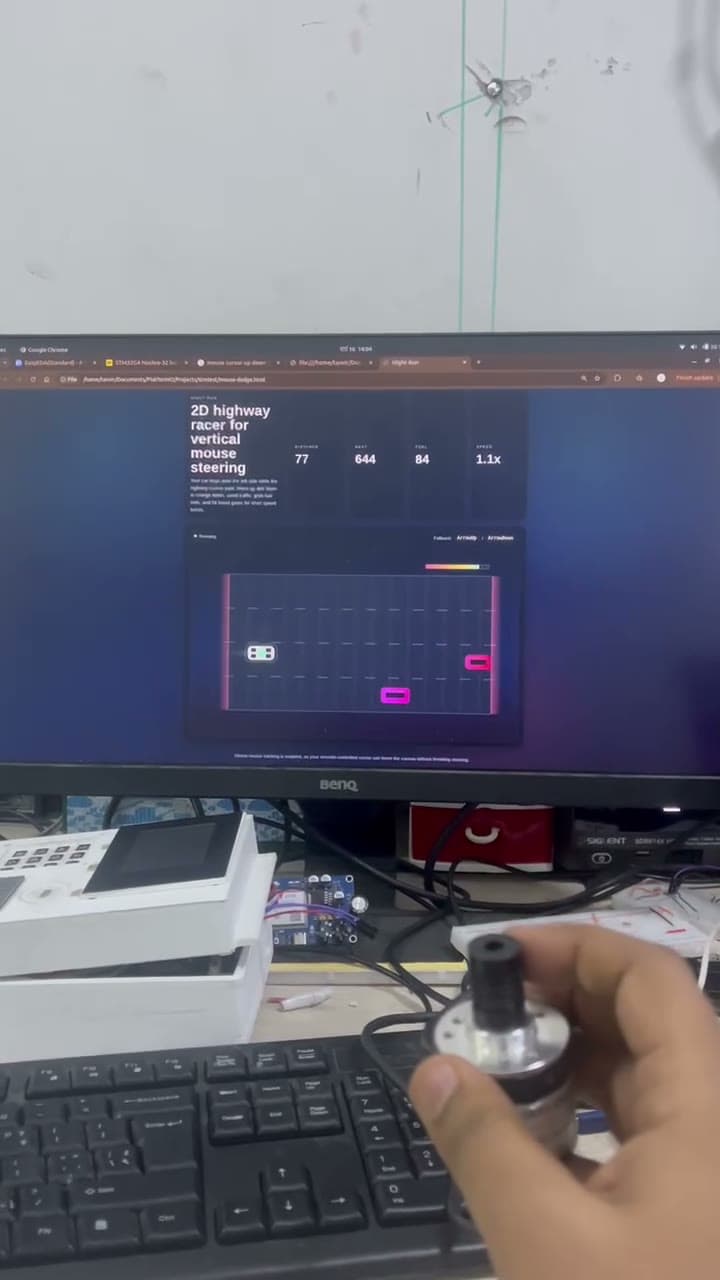
A linear encoder turned into a physical controller for a 2D game — sliding the mechanism actually moves the character.
Overview
I wanted an excuse to play with a linear encoder, and using it as a game controller felt much more interesting than logging numbers to a serial monitor. The player slides a real mechanism, the microcontroller reads the encoder, and the game responds on screen.
It is technically a tiny project, but it is also a small human-machine interface experiment. The feel of the controller depends entirely on how you map the encoder signal — too slow and the game feels dead, too fast and you can not aim.
Specifications
RoleHardware interface and control developer
SensorsLinear encoder
ModulesMicrocontroller interface boardComputer game interface
Encoder motion is read by a microcontroller and mapped into game input. The computer-side game responds to this input as the player controls movement on screen.
Project photos
Linear encoder controller demo with 2D game interface on screen.
Videos
Implementation details
Firmware
Firmware reads linear encoder movement, converts position or step changes into game-control events, and sends control data to the computer/game interface.
Components / BOM
Linear encoder, Microcontroller board, Game interface computer, Prototype wiring
Engineering challenges
Picking the right mapping between physical movement and on-screen movement, and keeping the input clean enough that the game does not stutter from electrical noise.
Solutions
Started with the simplest possible mapping (encoder steps -> game movement), tuned the sensitivity by feel, and kept the firmware loop tight so input latency stayed low.
Results & metrics
A working demo where moving the encoder feels connected to the character on screen — surprisingly satisfying for how simple the hardware is.
Future improvements
Calibration mode, adjustable sensitivity, USB HID so it works as a plug-and-play controller, and a proper enclosure for the encoder mechanism.